Decorative Butterfly Cut File Set: A Guide to Choosing and Using the Right Files for Your Projects
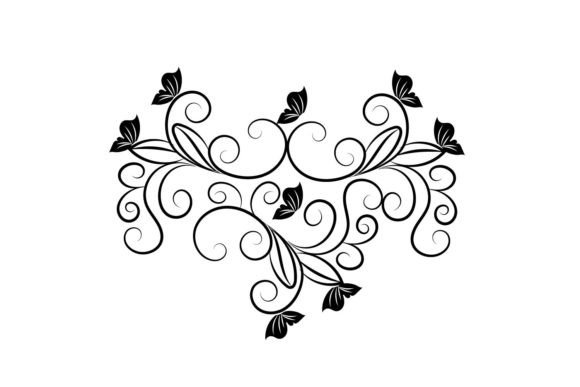
Butterflies are timeless symbols of transformation, beauty, and grace. Incorporating them into your creative projects can instantly elevate the visual appeal and add a touch of elegance. This is where the Decorative Butterfly Cut File Set comes in—a versatile digital resource designed for crafters, designers, educators, entrepreneurs, and hobbyists alike. Whether you're making custom greeting cards, scrapbook pages, signage, or home décor, these files offer intricate designs that bring your ideas to life with minimal effort.
What Is a Decorative Butterfly Cut File Set?
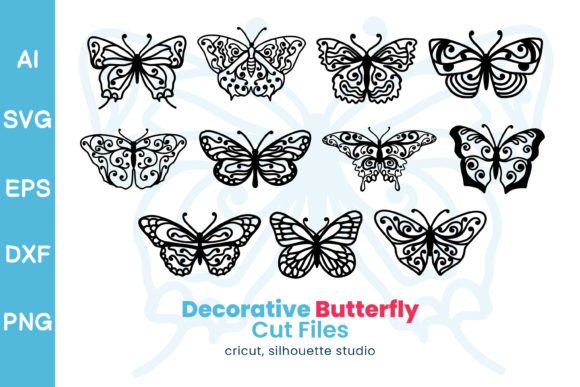
A decorative butterfly cut file set typically includes vector-based digital files that can be used with cutting machines like Cricut, Silhouette, or laser cutters. These files allow you to precisely cut butterfly shapes from materials such as cardstock, vinyl, fabric, wood, and more. The set mentioned here provides multiple file formats including EPS, AI, SVG, DXF, and PNG, ensuring compatibility across various design software and platforms.
Each format serves a different purpose:
- EPS & AI: Ideal for professional design work in Adobe Illustrator or other vector editing tools.
- SVG: Best suited for use with most modern electronic cutting machines.
- DXF: Commonly used in CNC machines and laser cutters for precision cuts.
- PNG: Perfect for web use or print-on-demand projects due to their high resolution and transparency.
Why You Should Care About Format Compatibility
One common oversight when purchasing a decorative butterfly cut file set is not verifying whether the included formats work with your specific tools. For example, if you primarily use an SVG-compatible machine but also want to edit the design further, having access to AI or EPS versions becomes essential. Always check which software or devices you plan to use before downloading to avoid unnecessary frustration later on.
Here’s how to do it right:
- Determine the type of cutting machine or design software you own.
- Review the product description to confirm the supported file types.
- If needed, ask the seller about additional formats or compatibility tips.
This step ensures that your butterfly designs integrate smoothly into your workflow, saving time and reducing errors.
Don’t Forget About File Size and Resolution
Another important detail often overlooked is the resolution and dimensions of the files. High-resolution images (like 4000px PNGs) ensure crisp edges and clarity, especially when printed or displayed digitally. Similarly, the size of the SVG and DXF files—measured at 12inch x 12inch—is crucial for scaling without distortion.
Many beginners assume all butterfly cut files will scale perfectly, but poor resolution or incorrect sizing can lead to blurry prints or misaligned cuts. To prevent this:
- Always open the file in your design software before printing or cutting.
- Check the resolution for digital use and adjust accordingly.
- Use the provided dimensions as a reference for scaling.
Common Mistakes When Downloading Digital Files
Since the Decorative Butterfly Cut File Set is a digital downloadable product, some users make the mistake of assuming they'll receive instant access without understanding the process. In reality, you’ll need to download the files yourself after purchase and store them securely. Here's what to watch out for:
- Not checking the download instructions beforehand.
- Ignoring the importance of ZIP folders and unzipping them properly.
- Trying to open files without compatible software installed.
To avoid these issues, ensure you have a PDF reader and a method to extract ZIP files (most computers do by default). Also, read through any instructions provided by the seller carefully. If you're unsure, reach out for support before finalizing your purchase.
Choosing the Right Material for Cutting
Cutting butterflies might seem straightforward, but the material you choose plays a big role in the outcome. Some materials, like thick chipboard or leather, require more pressure and slower cutting speeds. Others, like delicate vellum or thin vinyl, demand careful handling to avoid tearing or warping.
Real-world example: A scrapbooker once tried using a standard vinyl setting on metallic foil, only to end up with jagged edges and wasted supplies. The better approach would have been to research recommended settings for metallic materials or test a small sample first.
Tips for success:
- Test your cutting machine's settings on scrap material first.
- Adjust blade depth depending on the material thickness.
- Consider the texture and flexibility of the material when designing your layout.
Understanding What "All Designs Included" Means
The phrase “all designs included” may sound appealing, but it's important to clarify what exactly is being offered. In the case of this butterfly cut file set, it means that every butterfly design available is part of the package. However, not all sets are created equal. Some may include just one or two styles, while others boast dozens of variations.
Before buying, look for details like:
- How many unique butterfly designs are in the set.
- Whether there are layered elements or just flat outlines.
- If the set includes color variations or is limited to black-and-white.
Knowing these specifics helps you determine whether the set aligns with your project needs. For instance, a wedding invitation designer might prefer a minimalist style, whereas a children’s book illustrator could benefit from more vibrant and stylized options.
Maximizing the Use of Multiple File Formats
Having access to multiple file formats is a major advantage of this butterfly cut file set, but it also requires some know-how to use each one effectively. Let’s break down how you can leverage each format:
- AI/EPS: Edit colors, paths, and layers in Adobe Illustrator for advanced customization.
- SVG: Import directly into cutting software for precise die-cutting or engraving.
- DXF: Use in CAD programs or laser cutter software for industrial-style projects.
- PNG: Upload to online marketplaces or design platforms for print-on-demand products.
For best results, consider using the AI or EPS version for initial design work, then exporting to SVG or DXF for cutting. PNG files should be reserved for digital displays or soft goods like t-shirts and mugs.
Overlooking Licensing and Usage Rights
It's easy to get excited about new digital assets and overlook the fine print. But licensing terms can significantly impact how—and how much—you can use the butterfly cut files. For example, personal-use licenses restrict selling items made with the designs, while commercial-use licenses grant full rights to sell finished products.
Make sure to review the licensing agreement before downloading. If you’re planning to use the butterfly cut files in a business context, such as creating branded merchandise or selling custom items online, a commercial license is necessary. Failing to do so could result in legal complications or damage to your brand’s reputation.
Better approach: Look for clear licensing information in the product description or contact the seller for clarification. Choose a set that offers the right permissions for your intended use.
Organizing Your Digital Assets
Once you've downloaded the butterfly cut file set, proper organization is key. Many creators rush into using the files without sorting or backing them up, which can lead to lost files or duplication efforts. A well-organized digital library saves time and keeps your workflow efficient.
Here’s how to manage your files:
- Create a dedicated folder for butterfly cut files, preferably within a broader category like “vector graphics” or “cut files.”
- Name each file clearly, such as “butterfly-style-blue-AI” or “butterfly-outline-SVG.”
- Back up the files on a cloud service or external drive to protect against data loss.
Proper file management also makes it easier to share your butterfly designs with clients or collaborators, improving communication and project efficiency.
Comparing Sets Before Purchase
With so many butterfly cut file sets available online, it's easy to settle for the first one you find. But not all sets offer the same level of detail, variety, or usability. A rushed decision may lead to disappointment or the need to repurchase a better set later.
When comparing sets, consider the following factors:
- Number of unique designs and levels of intricacy.
- Supported file formats and their quality.
- License type and usage restrictions.
- Customer reviews and feedback about ease of use.
By taking the time to compare, you can ensure the set you choose meets your expectations and supports your long-term creative goals.
Designing Around the Theme
Butterflies are a popular motif, but overuse or mismatched styling can make your project feel generic. To stand out, think about how the butterfly cut files fit into your overall design theme. Are they elegant and subtle for a wedding? Playful and colorful for a kids' party? Or bold and artistic for wall art?
Example: A blogger wanted to create a nature-themed website header using butterflies. Instead of using a bright, cartoonish style, she opted for a more subdued watercolor effect using the transparent PNG files. This gave her site a refined, cohesive look that resonated with her audience.
Tip: Pair the butterfly designs with complementary elements like floral borders, geometric patterns, or text layouts to enhance the visual storytelling of your project.
Getting the Most Out of Your Investment
Investing in a decorative butterfly cut file set is more than just buying a digital asset—it's an opportunity to expand your creative capabilities. To maximize value:
- Use the designs across multiple projects, such as seasonal cards, gift tags, or promotional materials.
- Experiment with layering different butterfly styles for added depth and interest.
- Repurpose the PNG files for social media posts or online content to attract customers or followers.
These strategies help justify the cost and increase the return on your investment, especially if you're using the set for commercial purposes.
Learning Resources and Support
Even seasoned designers can benefit from learning resources when working with new file types or tools. Don’t hesitate to explore tutorials, forums, or customer support channels related to your cutting machine or design software. Understanding how to manipulate the butterfly cut files can unlock new possibilities for your projects.
Some sellers even provide helpful guides or video demonstrations showing how to use their files. Take advantage of those to streamline your workflow and avoid trial-and-error methods.
Final Thoughts
The Decorative Butterfly Cut File Set is a valuable tool for anyone looking to enhance their creative output with elegant, scalable butterfly designs. By avoiding common mistakes around format compatibility, licensing, and file organization, you can ensure your experience is smooth and productive. Remember, choosing the right set isn't just about aesthetics—it's about functionality, usability, and long-term value.
Take the time to evaluate your needs, understand the product details, and invest wisely. With the right approach, you'll transform ordinary crafts and designs into extraordinary works that reflect your creativity and attention to detail.